Three.js WebGL · 3D Depth Range
3D Aim Trainer Range
True 3D perspective across 10m, 18m, and 26m depth lanes. Aim for the head on strafing tactical bots, sync your FPS sensitivity, and train spatial flicks with zero downloads.
Want pure speed? Play Gridshot Online3D Aim Trainer
3D Aim Trainer
60-second first-person WebGL 3D shooting range across 10m, 18m, and 26m depth lanes with strafing headshot bots and 1:1 FPS sensitivity scaling.
What This Free Online 3D Aim Trainer Measures
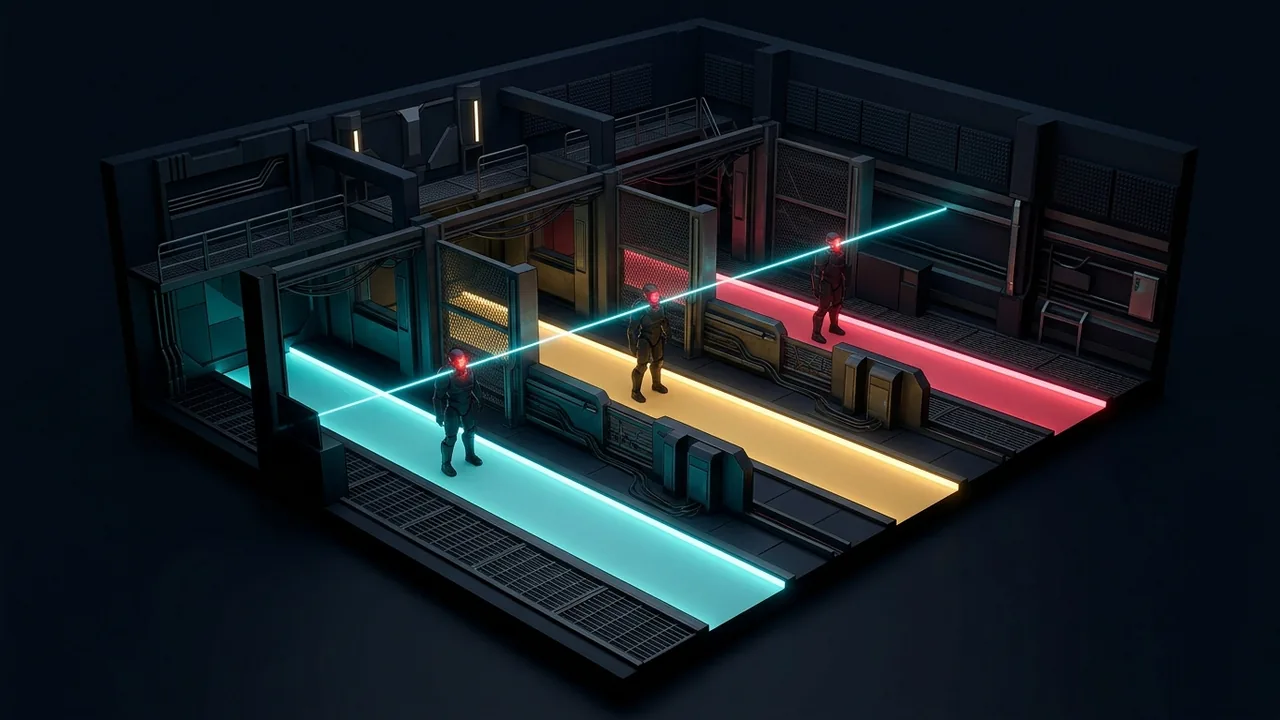
Unlike flat 2D browser click tests that move an OS cursor across a static canvas, the OKIAIMX 3D Aim Trainer renders targets inside a hardware-accelerated Three.js WebGL shooting range with genuine Z-axis depth across 10-meter, 18-meter, and 26-meter lanes. Using raw HTML5 Pointer Lock input, every mouse count rotates a true first-person perspective camera along yaw and pitch axes—replicating how competitive FPS engines translate physical hand motion on your mousepad into crosshair displacement.
Because targets occupy real 3D world coordinates rather than 2D pixel offsets, apparent target size scales naturally with distance while horizontal strafe velocity demands different angular tracking speeds at close versus far ranges. Enabling Tactical Bot silhouettes splits each target into a high-value headshot sphere and a lower-scoring torso capsule, training disciplined head-height crosshair placement alongside raw target acquisition speed.
Why True 3D Depth & Perspective Matter for FPS Muscle Memory
In any tactical or arena first-person shooter, consecutive engagements rarely happen at a single fixed distance. Swinging a close 10-meter corner requires a wide forearm swipe and rapid deceleration onto a visually large head hitbox, whereas holding or re-peeking a 26-meter sightline demands sub-degree wrist and fingertip micro-corrections where a two-millimeter overshoot misses the skull completely.
Practicing inside a calibrated 3D viewport trains visual-motor depth scaling: your eyes judge target distance from perspective grid cues and silhouette scale, automatically modulating initial flick velocity and stopping power before clicking. By locking your horizontal field of view (default 103° HFOV) and matching your game's exact yaw multiplier, 360-degree turn distance (cm/360) stays consistent between browser warm-ups and live ranked servers.
1:1 FPS Mouse Sensitivity & Horizontal FOV Reference
Open the gear Settings panel in the top-right corner of the 3D shooting range to select your primary FPS profile. Each preset applies the exact degrees-per-count yaw constant used by that game engine so you can enter your native sensitivity value without external calculators.
| FPS Game Profile | Engine Yaw Constant | Standard 16:9 HFOV | Equivalent ~32 cm/360 Sens (800 DPI) |
|---|---|---|---|
| Tactical 0.07° Scale | 0.0700° per count | 103° Horizontal FOV | 0.35 – 0.45 in-game sens |
| CS2 / Source Engine | 0.0220° per count | 106° Horizontal FOV (90° 4:3) | 1.10 – 1.45 in-game sens |
| Apex Legends | 0.0220° per count | 104° – 110° Horizontal FOV | 1.20 – 1.60 in-game sens |
| Overwatch 2 | 0.0066° per count | 103° Horizontal FOV | 3.80 – 4.80 in-game sens |
10-Minute Pre-Match 3D Shooting Range Routine
Run this structured three-stage protocol before queuing competitive matches to calibrate forearm swipes, strafe reading, and headshot precision in sequence.
Spatial Horizon Calibration
Start on Easy with Tactical Bots enabled and slow strafe speed. Focus strictly on smooth horizontal crosshair paths between 10m and 26m lanes without dipping onto torso hitboxes. Aim for 92%+ shot accuracy.
Multi-Depth Strafe Interception
Switch to Medium (3.1 m/s bot strafing). Track each moving head briefly for 80–120ms to confirm velocity direction before firing a single clean tap rather than flick-guessing at reversal points.
High-Tempo Far-Lane Pressure
Finish with two 60-second Hard rounds featuring smaller 31 cm head hitboxes and four simultaneous strafing bots. Prioritize maintaining 75%+ headshot rate under high target density.
How to Read and Benchmark Your 3D Range Telemetry
At the end of every 60-second round, evaluate Score alongside Total Hits, Headshot %, Shot Accuracy, and Average Depth. Headshots award 140 base points plus a distance bonus (up to +39 points on 26-meter shots), torso hits grant 85 base points, and missed shots deduct 15 points to penalize uncontrolled spam firing. If your Shot Accuracy drops below 82% or your Headshot % falls under 60%, slow your cadence slightly so visual confirmation precedes every click.
Browser 3D Aim Trainer vs. 2D Click Tests vs. Desktop Clients
Choosing the right practice environment depends on whether you need zero-friction browser warm-ups, true 3D camera rotation, or offline workshop scenarios.
| Training Dimension | OKIAIMX 3D WebGL Range | 2D Canvas Click Tests | Desktop Clients (Steam) |
|---|---|---|---|
| Startup & Storage | Instant in browser (0 MB install) | Instant in browser (0 MB install) | 10–25 GB download + client login |
| Mouse Input Model | 3D Pointer Lock yaw/pitch rotation | 2D flat desktop cursor coordinates | 3D raw yaw/pitch camera rotation |
| Z-Depth & Headshot Zones | 10m / 18m / 26m lanes + Head/Torso bots | Uniform flat circles only | Full 3D scenarios |
| School / Laptop Accessibility | Runs on Chromebook, Mac & PC browsers | Runs on any web browser | Dedicated gaming PC required |
Pro 3D Shooting Range Practice Guidelines
- Disable OS mouse acceleration ('Enhance pointer precision' on Windows or pointer acceleration on macOS) so browser Pointer Lock receives linear 1:1 sensor counts.
- Keep your crosshair anchored near neutral head elevation when scanning between near and far lanes—let perspective do the work instead of over-correcting vertically.
- Keep sensitivity, HFOV, and difficulty fixed for at least five consecutive rounds when tracking progress in your 10-round session history.
Common 3D Aim Training Pitfalls to Avoid
The most frequent mistake in multi-depth 3D ranges is applying close-range flick aggression to 26-meter far-lane targets, resulting in rushed misses or body-shot bailouts. Break large flicks into two clean phases: a fast ballistic forearm sweep that lands within two target widths, followed by a brief relaxed fingertip micro-adjustment onto the glowing head core before pressing Mouse 1.
3D Aim Trainer Online — Frequently Asked Questions
How is a 3D Aim Trainer different from a 2D browser aim test?
A 2D test moves a flat cursor across X/Y screen pixels, which never changes perspective when looking around. A 3D Aim Trainer locks the cursor at screen center via Pointer Lock and rotates a 3D perspective camera by exact degrees per mouse count—matching real FPS gunplay.
Can I convert CS2, Apex Legends, or Overwatch 2 sensitivity in this 3D range?
Yes. Open the arena Settings dialog, click CS2, Apex, OW2, or Tactical 0.07°, and type your exact in-game sensitivity and horizontal FOV. The engine applies the native yaw constant automatically.
Does this 3D Aim Trainer require any download, account, or plugin?
No download or account is required. It runs immediately in modern desktop browsers using standard WebGL. Signing into a free OKIAIMX account is optional if you want cloud-saved training records.
Should I practice with Tactical Bots or 3D Spheres?
Use Tactical Bots (Head + Torso) when training horizontal crosshair placement, strafe reading, and headshot discipline. Toggle to 3D Spheres when isolating pure omnidirectional vertical-and-horizontal flick angles.
What mouse polling rate works best for browser WebGL aim training?
1000 Hz or 2000 Hz polling rates deliver rock-solid frame pacing across Chrome, Edge, Brave, and Firefox. Ultra-high 4000 Hz–8000 Hz polling can spike browser event overhead on older CPUs, so step down to 1000 Hz if you notice micro-stutter.
How do I get smooth 144 FPS or 240 FPS inside the browser arena?
Enable 'Use graphics acceleration when available' in your browser settings, close background video tabs, and use the Fullscreen button in the top-right toolbar to minimize desktop compositor latency.
Why do missed shots subtract points from my 3D range score?
Without a small miss penalty (-15 points), spam-clicking around strafing heads artificially inflates hit totals while building sloppy habits. Rewarding clean first-bullet headshots mirrors real FPS time-to-kill.
Which drill should I pair with the 3D Aim Trainer for pure click speed?
Pair two rounds of this multi-depth 3D Shooting Range with our Gridshot Online mode (/trainers/gridshot) to combine high-BPM wrist speed with disciplined far-lane headshot precision.
Train another skill
Review your aim
Finished training?
Try the combined challenge and compare the stage results under the same conditions.
Community comments
Share the first tip or result.